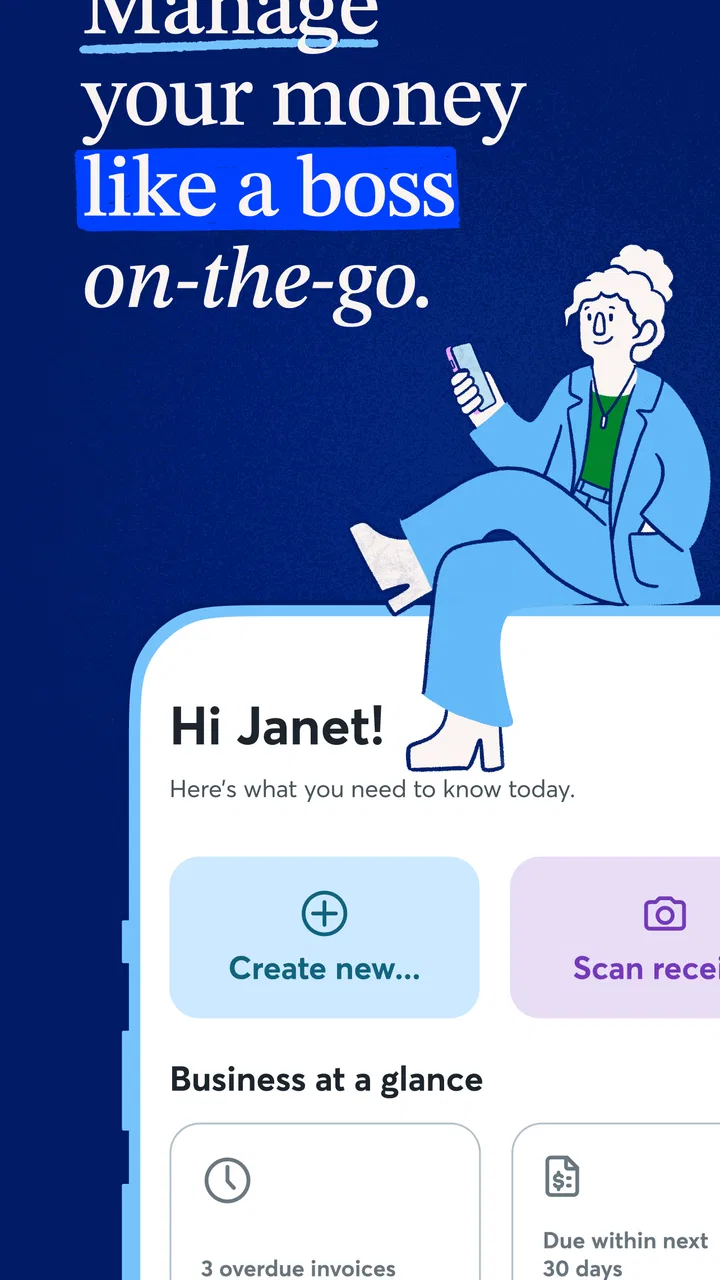
Wave: Small Business Software
- 3.3
- Rating
- 500.00K
- Installs
- Free
- Price

 Analysis by App-foxy
I found Wave: Small Business Software most useful when I treated it as a focused work tool rather than something the whole household should casually share. It is a free business app from Wave HQ, built around practical tasks such as invoicing and receipt scanning. That sounds narrow, but it can fit neatly into a home where one person runs a side business, freelances, sells occasionally, or needs to keep business paperwork separate from everyday spending.
My first impression was that Wave makes the most sense during those small moments when business administration usually gets postponed. I could imagine opening it after finishing a job, creating an invoice before the details became vague, or photographing a receipt while it was still in my wallet. It is not the kind of app I would hand to every member of a shared device and expect everyone to understand immediately. Its value depends on clear account ownership and disciplined use.
The app sits in the business category and has been available since October 19, 2016. Its current version is 4.13.0, and it requires Android 9 or later. With more than 500 thousand installs, it is clearly established enough to attract a substantial audience, although its average rating of 3.3 from roughly 24 thousand ratings suggests that the experience is not equally smooth for everyone.
You May Also Like

 Blood Strike: 2.5 Anniversary
Blood Strike’s Loadouts Turn Every Drop Into a Tactical Gamble
A close look at Blood Strike’s custom loadouts: how fast access to signature weapons reshapes its battle royale rhythm, rewards preparation, and narrows the gap between fights.

 Pandora - Music & Podcasts
Pandora’s Music Is Easy to Start, but Harder to Recover
Pandora’s strength is its low-effort path from a seed to a station. Its weak spot is how much confidence it asks you to place in connection, setup, and quiet recovery.

 8 Ball Pool
8 Ball Pool Is Built on Rivalries, Rematches, and Routine
A close look at the rivalries, rematches, shared routines, and unanswered safety questions that turn a quick pool match into a persistent mobile community.

 Samsung Music
Samsung Music’s Quiet Strength Is Playing What You Already Own
Its reach comes less from spectacle than from dependable access to a personal library. That simplicity is both the app’s strongest retention engine and its ceiling.

 AccuWeather: Weather Radar
AccuWeather Review: A Quick, Clear Forecast for Everyday Decisions
For everyday plans, the best forecast is the one you can understand quickly. AccuWeather makes rain timing, radar, and local conditions easy to act on, with a few trade-offs.

 Hill Climb Racing
Why Hill Climb Racing Still Turns Crashes Into One More Run
A tiny car, a bumpy hill and one more upgrade: Hill Climb Racing keeps resurfacing because its simple chaos makes every near-miss feel personal.
More From Our News Desk



Using Wave in a shared household
A realistic example is a household where one person repairs bicycles on weekends while another person uses the same tablet for shopping, schoolwork, or entertainment. In that situation, Wave belongs to the bicycle business, not to the household generally. The owner can use it to prepare customer invoices and capture receipts for parts, while everyone else should stay out of the business workspace unless there is a specific reason to help.
This distinction matters because business records are easy to mix with personal records. A receipt for replacement cables may look similar to a receipt for household supplies, especially when both are photographed quickly. I would use Wave at the moment a business purchase happens, then add a short note or other identifying detail if the workflow allows it. Waiting until the end of the month creates unnecessary detective work.
For a shared-device setup, I would also establish a simple physical routine. The business owner should be the person who opens the app, checks the invoice details, and decides whether a receipt belongs there. Another household member can remind them to complete the task, but should not casually scan documents or send invoices on their behalf. That is not because Wave is designed as a family-management tool; it is because financial administration needs a clear person responsible for each action.
The most useful household rule is simple: one business account, one accountable owner, and a separate place for personal paperwork. Wave can support that habit, but it cannot replace it. If several people need to manage the same business regularly, I would first agree on who handles invoices, who reviews receipts, and who has final responsibility for corrections.
What setup feels like in practice
I would begin with the smallest workable setup instead of trying to organize every past transaction at once. Start with the business identity, the information needed for invoices, and the first current customer or project. Then test the complete path: create an invoice, review it carefully, and confirm that the information looks right before using the process with a real client.
This test-first approach is especially helpful on a device used by more than one person. It prevents a family member from accidentally sending a draft or changing information while the owner is still learning the interface. It also reveals whether the phone or tablet is comfortable for longer administrative sessions. A mobile screen is convenient for quick work, but I would not assume it is the best place to perform every detailed bookkeeping task.
Receipt scanning is one of the app’s most practical ideas, but I would treat the camera as the beginning of the record rather than the end of the review. A crumpled receipt, poor lighting, or a faded total can make any scanning workflow less reliable. After capturing a document, I would check the merchant, date, amount, and business purpose instead of trusting the image alone. That small habit is more valuable than scanning a large pile and never reviewing it.
There is also a useful boundary between convenience and completeness. If I am standing outside a supply shop, capturing the receipt immediately is convenient. If I am trying to reconstruct an entire year of spending from a drawer, the process becomes slower and more error-prone. Wave is better suited to maintaining a current routine than rescuing disorganized records in one dramatic session.
Keeping coordination clear between people
Wave can be part of a coordination system, but I would not confuse the app with a household communication channel. If a partner helps with the business, we would decide outside the app which invoices are ready, which receipts need checking, and which items are personal. A shared note, a short conversation, or a regular review time may be needed because the app itself should not be expected to explain every family decision.
One practical workflow is to separate capture from approval. The business owner can collect a receipt immediately, while a weekly review is used to confirm that each item belongs to the business and has enough context. This is more reliable than asking someone to make a perfect classification while distracted in a shop or on the way home. It also gives a second person a defined supporting role without making them responsible for the entire account.
For invoices, I would use a similar checkpoint. Draft the document when the work is fresh, then pause and review the customer details, description, amount, and wording before sending it. If a household member is helping, they can proofread the draft, but the business owner should make the final decision. That division reduces the chance of an accidental invoice being issued from a shared phone.
Another non-obvious trade-off is that centralizing everything can make coordination easier while making mistakes more consequential. If all business activity is kept in one place, the owner has a clearer overview. At the same time, an incorrect entry can affect the overall picture, so regular review matters. I would rather spend a few minutes checking current records than depend on a large end-of-year cleanup.
Account boundaries and trust on a shared device
Because Wave handles business information, I would not leave the app open for casual browsing on a family tablet. The right boundary is not based on age alone; it is based on whether the person understands that invoices, receipts, and financial details are not ordinary entertainment content. A teenager might be capable of photographing a receipt, while still not being the right person to edit or send an invoice without supervision.
The Everyone content rating describes the app’s general age suitability, but that should not be read as a recommendation for unsupervised financial use by children. The subject matter is business administration, and maturity here means understanding consequences. I would allow a younger household member to help with a clearly defined capture task only if the owner checks the result immediately.
Trust also includes protecting the separation between personal and business activity. I would avoid letting guests or casual users operate the account, even if they are only curious. A shared device can make this boundary harder to maintain, so a separate user profile or a device-level lock, where available on the device, is worth considering. Those are general device practices rather than Wave features, but they make a meaningful difference.
If the business owner changes phones, I would plan the transition rather than treating it as a casual app reinstall. The person should know which account they use and keep their sign-in details organized. A household member who helps with technology can assist with the device, but should not take over ownership of the business account. Clear responsibility is more important than convenience during setup.
Where Wave fits among everyday alternatives
The usual alternative to Wave is not always another business app. For many very small operations, it is a spreadsheet, a folder of photographs, a word processor template, or handwritten notes. Wave has an advantage over those methods because invoicing and receipt capture are brought into a business-oriented workflow. I find that especially useful when the owner wants to move beyond scattered files without immediately building a complicated system.
A spreadsheet can be more flexible for custom calculations and unusual record-keeping. It can also be easier to inspect on a large screen. However, it depends heavily on the user designing and maintaining the structure. Wave is the better starting point when the main need is to create invoices and keep purchase evidence connected to business activity rather than invent a system from scratch.
On the other hand, a larger accounting platform may be a better choice for a growing company with more demanding reporting, multiple people handling finances, or workflows that require extensive customization. Wave’s appeal is its approachable scope. That same scope can become a limitation when a business outgrows straightforward invoicing and receipt organization.
I would also compare it with a dedicated receipt-scanning tool if receipts are the only real need. A specialist scanner may be preferable for someone who already has invoicing handled elsewhere. Wave becomes more compelling when both tasks belong together. Choosing it just because it can scan receipts would be less convincing than choosing it to support a complete small-business routine.
Costs, expectations, and everyday friction
Wave is free to download, which makes it easy to try without committing money at the beginning. The app also lists in-app purchases ranging from eight dollars to one hundred ninety dollars per item. I would therefore avoid assuming that every possible business workflow is included at no cost. Before relying on a paid option, I would check exactly what it changes and whether it solves a problem I actually have.
This matters in a household budget. A person testing Wave for occasional side work may only need the basic experience, while someone using it as a central business tool may consider paid features worthwhile. The right decision depends on the business’s volume and needs, not on the fact that an optional purchase exists. I would begin with a small, real workflow and only spend money after identifying a specific limitation.
The rating of 3.3 is a useful reminder to keep expectations realistic. I would not describe Wave as a perfect replacement for an accountant, a full desktop accounting suite, or a carefully designed financial process. Mobile convenience can save time, but it can also encourage rushed entries. The app is most effective when paired with a review habit and sensible separation between personal and business records.
Its minimum operating system requirement of Android 9 or later is also relevant for older shared devices. Before planning to use an old phone as the household business device, I would check whether it can run the current version. If it cannot, the device itself becomes the first obstacle, and forcing the workflow onto outdated hardware is unlikely to produce a good experience.
Who should use it and who should look elsewhere
I would recommend Wave to a freelancer, sole trader, or very small business owner who wants a practical mobile starting point for invoices and receipts. It is particularly suitable for someone who often works away from a desk and needs to capture paperwork while moving between customers, suppliers, and home. The app’s free entry point makes experimentation less intimidating.
It also suits a household where one person clearly owns the business administration and another person provides occasional support. In that arrangement, Wave can become the central place for current business documents, as long as the supporting person understands their limits. The strongest results come from consistent capture, careful review, and a predictable weekly check.
I would be more cautious for a company where several employees need broad access, where financial records are highly complex, or where the owner expects detailed customization from the start. I would also look elsewhere if the main goal is household budgeting, shared shopping, or personal expense tracking. Wave is not a general-purpose family finance app simply because it can be used on a family device.
Someone who dislikes reviewing scanned information may also become frustrated. The camera can reduce manual entry, but no scanning process removes the need for judgment. If the business involves many unusual expenses, frequent corrections, or complicated billing arrangements, a desktop-first solution or professional accounting support may be a better investment.
My household verdict
After using Wave as a business tool, I see its strongest role in the gap between informal paperwork and a more demanding accounting system. It gives a side business or very small operation a clearer routine for invoices and receipts without requiring the owner to begin with a large, intimidating platform. That is a meaningful benefit, especially when work happens on the move.
My recommendation comes with one condition: keep the account boundary firm. On a shared device, the business owner should control access, review every captured receipt, and approve every invoice before it leaves the app. Family coordination can help, but it should happen through agreed responsibilities rather than casual shared use.
Wave HQ has made a practical app for a specific kind of work, and I think it is worth trying if your needs are straightforward. I would start with one current customer, a few genuine receipts, and a complete review cycle. If that feels manageable, the app may become a dependable part of the household’s small-business routine. If your operation already needs complex collaboration or advanced accounting controls, I would choose a more specialized alternative instead.
FAQs for Wave: Small Business Software
01What is Wave: Small Business Software used for?
Wave is a comprehensive software solution designed for small businesses to manage their accounting, invoicing, and receipt tracking. It offers tools to streamline financial operations, making it easier for business owners to handle bookkeeping tasks without needing extensive accounting knowledge. The app is particularly useful for freelancers and small business owners looking to keep their finances organized.
02Is Wave free to use, and are there any hidden costs?
Wave offers a free version that includes a robust set of features for accounting, invoicing, and receipt scanning. However, there are premium services available, such as payroll processing and payment processing, which incur additional charges. It's important for users to review the pricing structure on Wave's website to understand any potential costs associated with these extra services.
03How secure is my financial data with Wave?
Wave prioritizes the security of your financial data by implementing industry-standard security measures, including encryption and secure cloud storage. The company continuously updates its security protocols to protect against unauthorized access. Users can feel confident that their sensitive financial information is safeguarded while using the platform.
04Can Wave handle multiple businesses or accounts?
Yes, Wave is designed to accommodate multiple businesses or accounts. Users can easily switch between businesses within the app, making it ideal for entrepreneurs managing multiple ventures. Each business can have its own set of financials, invoices, and reports, allowing for organized and efficient management across different entities.
05Does Wave integrate with other business tools?
Wave offers integrations with various business tools and services to enhance functionality. Users can connect Wave with platforms like PayPal, Etsy, and Shoeboxed, among others, to streamline processes and sync data seamlessly. These integrations help users manage their business operations more efficiently by centralizing their financial data.
Pros
- User-friendly interface
- easy navigation.
- Comprehensive invoicing features included.
- Real-time expense tracking available.
- Supports multiple currencies seamlessly.
- Cloud-based
- accessible from anywhere.
Cons
- Limited customization in templates.
- No offline mode available.
- Requires internet for real-time updates.
- Basic inventory management features.
- May be overwhelming for sole proprietors.

Wave: Small Business Software
Gallery